January 2016  Faculty News & Training

First Day of Class - Webinar Archived 
 
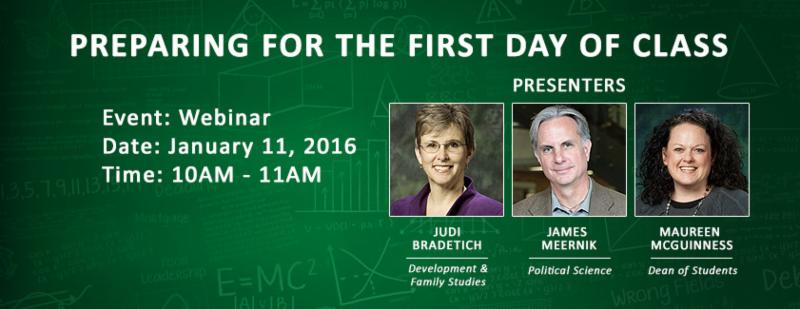
CLEAR in cooperation with UNT faculty and the Dean of Students office presented a webinar, Preparing for the First Day of Class. The presenters focused on their own plans for this important First Day as well as included materials and wisdom from past experiences.  

 
Resource Information may be found at https://clear.unt.edu/first-day-class.

Biographies available for Judi Bradetich, James Meernik, and Maureen McGuinness.

Congratulations to Melody White for winning the UNT Tartan door prize!  
UPCOMING TRAINING


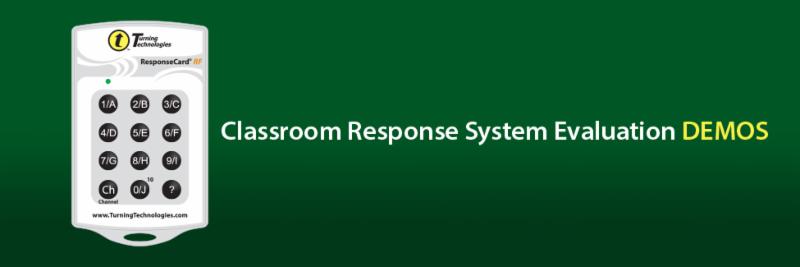
In June 2016, Turning Technologies will be retiring TurningPoint 5, UNT's centrally supported clicker technology, and transitioning users to TurningPoint Cloud. Given the fact that it has been several years since UNT evaluated classroom response technology, CLEAR decided this was a good time to explore classroom response systems and make a recommendation for a classroom response systems that best meet the needs of the campus community.
For faculty participants who are unable to attend the live demos in person or during the allotted times, CLEAR will provide live, remote sessions via GoToTraining. Additionally, sessions will be recorded via Panopto and made available via this webpage within one day of the demo.
      
 
The Demos
Poll Everywhere
Monday, January 25, 2016
1:00pm-3:00pm
GATE 137
 
TopHat
Monday, February 1, 2016
1:00pm-3:00pm
GATE 137
Download the app here.
iClicker
Wednesday, February 3, 2016
1:00pm-3:00pm
CHEM 106
Download the app here.
TurningPoint Cloud
Monday, February 8, 2016
1:00pm-3:00pm
WH 322
Download the app here.
Want to participate? Click here!
Participants who cannot join in the live sessions may submit questions ahead of time to the committee coordinator, Jenna Ledford.

TO LEARN ABOUT THE PROCESS, PLEASE VISIT:  https://clear.unt.edu/unt-classroom-response-system-evaluation
 
Though not a requirement for attendance, registration is encouraged as it will enable the organizers to send reminders, GoToMeeting links, notifications for when the recordings are available, and any necessary additional information.
To register, click here.
 

Blackboard Learn icon
Face-to-Face Sessions

Blackboard Bootcamp (3 hrs) - 9:00am-Noon, Jan. 27, 2016 (Chilton 245)
The Blackboard Learn Bootcamp is a face-to-face workshop introducing instructors to the Blackboard Learn tools. This hands-on workshop is targeted for instructors new to Blackboard Learn. By the end of the session, instructors should be able to:
1. Create assignments using the Assignment Tool.
2. Create assessments using the Assessment Tool.
3. Create discussions using the Discussion Tool.
4. Place content in the Blackboard course.
5. Decide which Communication Tools to use and when.

 
Blackboard Grade Center (1.5 hrs) - 9:30-11:00am, Jan. 29, 2016 (Chilton 245)
The key functions of the Grade Center will be covered in the class. By the end of the session, instructors should be able to:
1. Record grade data.
2. Calculate the Totals and Weighted Totals column.
3. Monitor student progress.
4. Organize the Grade Center.
 
Blackboard Student Interaction Tools (1 hr) - 10:00-11:00am, Feb. 5, 2016 (Chilton 245)
CLEAR Training Opportunities 2 January-February 2016
Participants will learn about the importance of maintaining continual student-to-student/student-to-faculty interaction through the use of Blackboard's tools: discussion forums, blogs, journals and wikis. Conceptual differences between each will be highlighted, as will the pragmatic mechanics of implementation within Blackboard.

Blackboard Grade Center (1.5 hrs) - 2:00-3:30pm, Feb. 10, 2016 (Chilton 245)
The key functions of the Grade Center will be covered in the class. By the end of the session, instructors should be able to:
1. Record grade data.
2. Calculate the Totals and Weighted Totals column.
3. Monitor student progress.
4. Organize the Grade Center.
 
Blackboard Bootcamp (3 hrs) - 9:00am-Noon, Feb. 16, 2016 (Chilton 245)
The Blackboard Learn Bootcamp is a face-to-face workshop introducing instructors to the Blackboard Learn tools. This hands-on workshop is targeted for instructors new to Blackboard Learn. By the end of the session, instructors should be able to:
1. Create assignments using the Assignment Tool.
2. Create assessments using the Assessment Tool.
3. Create discussions using the Discussion Tool.
4. Place content in the Blackboard course.
5. Decide which Communication Tools to use and when.

Blackboard Learn icon
Webinar Sessions

Blackboard Retention: Techniques and Tools (1 hr) - Noon-1pm,
Feb. 10, 2016 (Online)
Retention is a hot topic in education right now! This webinar will introduce you to tools in Blackboard that will assist you in identifying, monitoring, and connecting with students who may be struggling. Additionally, we will discuss helpful techniques for implementing retention strategies in your course.
star wars coffee
Blackboard Open Labs of Spring 2016
Friday Afternoon   1:00pm - 4:00pm  (beginning January 22, 2016)
Chilton 112K (UNT - Denton Campus / Faculty)

No Registration Required!  Feel free to come by our open labs every Friday from 1pm-4pm to receive some one-on-one Blackboard assistance from our instructional support team.

For faculty or teaching assistants who are new to Blackboard Learn, we recommend scheduling an appointment with an instructional consultant ( http://clear.unt.edu/consulting).

Check out our self-help guides and tips on the Blackboard Faculty Support Site or view our training sessions on the CLEAR calendar.
Faculty/Staff Group Subscriptions offered by CLEAR
FREE ACCESS
20 Minute Mentor Commons has provided a listing of programs with links and descriptions:

Here are some programs which might prove interesting and helpful from 20 Minute Mentor Commons (you may view information on all 4 programs below under "4 Programs for Start of the Semester).

See their complete catalog/programs:  

   
*NEW*
Certificates of Completion are now available with all programs in 20-Minute Mentor Commons. Users can print them for verification of watching a program.
 
Please email  Amber Bryant
to obtain the campus voucher code and pin number if using an off campus machine.     
Teaching Professor
FREE ACCESS
The Teaching Professor &
Online Classroom

CLEAR provides Free Access (through a group subscription) to Magna Commons, 20 Minute Mentor Commons, Distance Education Report, Online Classroom,Online Classroom and The Teaching Professor.  These electronic newsletters provide the information faculty, deans, chairs, and other academic decision-makers use for effective leadership within their colleges or departments as they fulfill their institution's mission of teaching and scholarship. 

  
To subscribe, go to www.magnapubs.com/group to view our active subscription.  There is no need to create an account or log in when accessing the subscription on campus.  If you wish to access these publications from off campus or if you would like to receive an email message each time a new issue is posted, you will need to register and enter a campus voucher code and pin number. Please email  Amber Bryant
FREE ACCESS
Online Learning Consortium

CLEAR provides Free Access (through a group subscription) to Online Learning Consortium (formerly Sloan-C) http://onlinelearningconsortium.org.  


The University of North Texas is a member of the Online Learning Consortium.  As a member, you will receive OLC's workshop, conference and publications discounts, research, and interaction with other members.  To receive account set-up and login instructions, please contact  Amber Bryant at Amber.Bryant@unt.edu.


Membership includes workshop membership pricing.  Visit http://onlinelearningconsortium.org/learn/workshops/ for the list of 2015 workshops. Additional workshops are added throughout the year, so please make sure to check the schedule often. The member price for a workshop is $169. Non-member pricing is $269. If you and your faculty have set up your accounts or affiliated your existing accounts properly, you will automatically see the member price.


 OLC Membership Resources include:

  • Webinars
  • Conference Discounts  
  • Publications Discounts  
  • Website Resources 
  • Monthly Newsletter
INFORMATION ON CLEAR INITIATIVES
Teaching Resources for Engaged Educators (TREE)


Want to maximize your impact on student learning?  Do you look for ways to connect with other committed educators?  Are you looking for ways to document your efforts to improve your teaching?  If so, the Teaching Resources for Engaged Educators (TREE) initiative, developed by CLEAR, is for you.  TREE leverages online training modules focused on 10 important teaching proficiencies (e.g., engaged learning, assessment, course design) that allow you to move at your own pace through three levels of proficiency (introductory, intermediate, and advanced). The TREE program will appear in your list of Blackboard courses and is available for everyone who teaches at UNT.  To participate, simply select the course and then the modules you would like to complete.  You will receive badges for completing each module and a Certificate of Teaching Distinction when successfully completing all three levels of a proficiency.  For more information, please refer to the CLEAR website:  http: clear.unt.edu/tree.
RECENT AWARDS & ACTIVITIES
CLEAR NEWS

CLEAR has been an active participant in the Student Evaluation of Teaching task force.  Dr. Mike Simmons represented CLEAR on the task force which recently released the following message from Provost Graves regarding the new evaluation structure:


"The Student Evaluation of Teaching Task Force has worked diligently and thoughtfully over the past 18 months to deliver a new teaching evaluation system. I am pleased to announce that UNT will adopt the IASystem developed and delivered by the University of Washington, to replace the Student Evaluation of Teaching Effectiveness (SETE) this fall."   For more information please see the  http://spot.unt.edu/ website.

CLEAR FACULTY HELPDESK
headset-woman.jpg
Support line: (940) 369-7394
Support Email:  clearhelp@unt.edu
Blackboard Faculty Helpdesk Support Hours for Spring 2016

Monday - Thursday  8:00am - 9:00pm 
Friday - 8:00am - 5:00pm
Saturday - 11:00am - 3:00pm
Closed Sunday