Letter from the Editor
 Happy New Year! I hope 2014 was a great year for you, and that 2015 will be even better!
In order to provide the most relevant topics in these newsletters, we are creating a separate newsletter for software developers. The developers newsletter will often explore more technical subjects and highlight recent enhancements to Dynamo Tools.
You can manage your newsletter preferences using the sign up button toward the bottom of this email.
This month I have included a checklist suggesting applications that are often run at the end of each month, but certainly should be run at the end of each year, to help get you on right for your business in the new year. We also have a new video about Dynamo Physical Inventory that may help you with your end of the year inventory.
I will also often be including tips for using Google Apps for Work. Google Apps for Work is an email solution recommended by Excellware. But it includes much more, including text documents, spreadsheets, cloud based storage, and access from anywhere. To learn more about Google Apps for Work, visit our website or contact Mike Jarvi at (440) 866-6893 or mike@excellware.com.
Laura Van Valkenburgh Newsletter Editor |
Delivering documents by fax is certainly not as popular as it once was. Internet email is often used to replace faxing. But some vendors still prefer to receive purchase orders by fax, and some customers prefer to receive invoices and statements of account by fax.
To reduce the cost of server-based fax software, the fax modem, and telephone line required for faxing, Excellware introduced Dynafax in 2011. Dynafax enables you to fax from Dynamo without special fax software, a fax modem, or a dedicated fax phone line. Rather, Dynafax delivers your document by email to a third party fax service provider who faxes the document to the final destination.
All priority support customers can send a fax from Dynamo to any fax machine in the United States or Canada without any additional charges per page or per fax.
This month we are transitioning to a new 3rd party provider. One of the benefits will be that the sender of the fax will receive an email directly should the fax not be delivered. There is even an option to receive an email if the fax has been delivered. Faxes may not be delivered even after several attempts have been made if the fax line is busy, or perhaps the fax phone number was entered incorrectly.
Check out our website for more details on configuring Dynafax on your server.
Start saving money with Dynafax today!
|
 Dynamo: End of the Year Checklist Dynamo: End of the Year Checklist
 There are several reports and Dynamo applications that should be run at the end of each month. Make a new year's resolution to follow this checklist at the end of each month, and especially at the end of the year, to verify your internal procedures and ensure that the Dynamo General Ledger is complete and accurate. There are several reports and Dynamo applications that should be run at the end of each month. Make a new year's resolution to follow this checklist at the end of each month, and especially at the end of the year, to verify your internal procedures and ensure that the Dynamo General Ledger is complete and accurate.- Payments on Open Sales Orders (GLR) - If you take payments of any kind when entering a sales order, then this report will provide a check to ensure that all open orders with payments have been invoiced.
- Daily Inventory Value (GLR) - This report compares the inventory values at the end of each day to the inventory value in the General Ledger. It is much easier to resolve a variance when discovered quickly.
- Special Order Inventory Detail (GLR) - If you ever buy and sell items that are one-time sales and are not set up using Item Maintenance, this report can help determine if the sales order used the correct item# and cost for these special order items.
- Inventory in Transit (GLR) - If you have multiple warehouse or store locations, this report can be used to verify that all completed transfer orders have been received and updated and that the dollar value of the inventory in transit agrees with the General Ledger.
- Inventory Used in House (GLR) - If you take product out of inventory for your own use, you may need to pay State Use Tax if you did not pay State Sales Tax when these items were purchased. This report lists items taken out of your inventory for your own use for assistance in computing State Use Tax.
- Unvouchered Receipts Listing (GLR) - This report will help ensure that all A/P invoices have been coded to properly reflect the PO#, Receipt#, and G/L account distribution.
- Change Order Booking Month (M/E) - This should be done as soon as the last order for the month being closed has been entered.
- G/L Period Ending Date Maintenance (GLU) - Open the new month and be sure to mark the prior month as closed once all transactions have been processed. This helps prevent accidental posting to the wrong G/L period.
- If you have a local server with a tape drive, then run the cleaning tape to ensure best performance of your tape drive.
- Physical Inventory (I/C) - Whether you take a cycle count every month or the entire store/warehouse at the end of the year, this application can make taking and checking your inventory a snap.
If your version of Dynamo lacks any of these options, consider upgrading to Dynamo 11 in 2015. You will be glad that you did! |
 |
Dynamo Tip of the Month
Not sure how a particular application in Dynamo works? Press F3 in any application or menu in Dynamo which will open your browser (Chrome, Firefox, Safari, etc.) to a page that just might answer your question.
|
|
|
How to: Physical Inventory
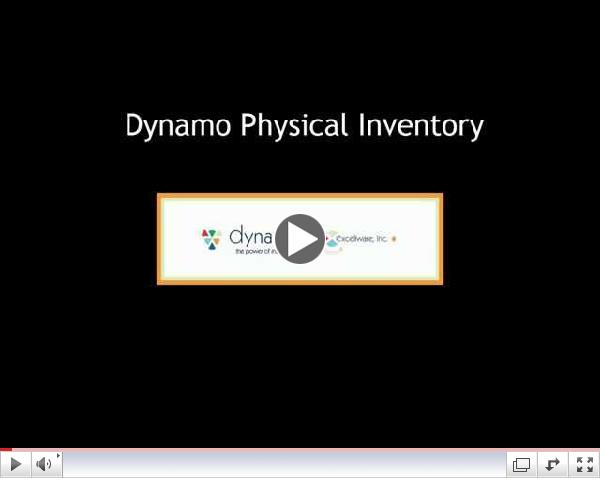 | |
Dynamo Physical Inventory
|
This video will demonstrate how to use the Physical Inventory application in Dynamo. This will help you take your monthly or yearly Physical Inventory!
|
|
|
Gmail Tip of the Month
The start of a new year may mean the start of a fresh inbox for you!
Maybe you'd like to delete email messages from before January 1st, 2013, for example. There's a quick way to do so. When you are in your Gmail account, locate the search bar at the top of the page.
To find all emails from before January 1, 2013, you would need to type the following:
before: 2013-01-01
Now all email messages that were received to your inbox before that date should appear on the screen. You can check the box on the left column to select all of these messages. Then you can click the trash can in the top row to delete all of the selected messages.
You can perform this action with any date as long as you use the YYYY-MM-DD format.
For more tips on finding message, please read Google's Advanced Search help topic. For more information on deleting messages, read Google's Delete Messages help page. |
|
|
|






