|
|
|
|
| Have Questions? |
Engaging Technologies is dedicated to providing the very best educational technologies to educators in the Midwest. We promise to provide only those products that we would use in our classrooms!
Please contact us with any questions regarding sales, training, or implementation, of our product lines in your classroom or organization.
Call 800.705.4049
Send us an email
Visit our website
The ET Team
- Dustin Frank
- Cathy Frank
- Mandy Vitense
- Linda Peters
- Kerry Kimple
- Nancy Nydam
|
|
|
Greetings!
With big ed-tech conferences like BETT, TECA, and FETC within the last few weeks comes the release of new products in the education industry, and we are excited to share the release of them with you!
In January, we attended the annual eInstruction conference in Scottsdale, AZ. Although everyone at the conference was not pleased that we brought our 30 degree weather with us, we were very excited to see their new Insight360 v2.0. Imagine a platform that can actually connect a teacher to students using mobile devices while delivering everyday content or assessments. We LOVE it!
Last week we spent a couple of days in Austin, where we were able to play with Mimio's latest product releases. The MimioProjector was quite impressive, and MimioMobile made using iPads easy within a Mimio lesson. We have already received a lot of inquiries from our customers about these new tools, so you'll be hearing sharing in our excitement as we provide details and talk with you soon.

New products and updates from our key partners mean even more cool ideas for you to integrate in your school. As always, let us know how we can help. We're here to support you and we LOVE working with educators to make a difference.
Dustin Frank
Engaging Technologies
|
|
Company News

New Team Member
Please join us in welcoming our newest team member, Nancy Nydam, to the ET team. Nancy brings over 20 years of education and technology experience to our growing business and we are excited for our new and existing customers in Kansas to meet her!
...more about Nancy
ET Team Heads to Scottsdale & Austin for Product Peek
The ET Team had the opportunity to head to sales meetings for both eInstruction and Mimio in the last month, and our excitement is at an all-time high! The good just keeps getting better and we're anxious to share the new stuff with all of you that were on our minds as we were learning about all that these products have to offer.

From Mimio's new products that just make it so EASY to eInstruction's Insight 360 platform that is just so INNOVATIVE, we're confident that we have a solution for your district as your approach to instruction becomes more student focused with 1:1 initiatives and huge investments in personal computing devices.
Find out more about the latest in our Product Updates section!
REGISTER TODAY:
iTeach with Apple iPad 101 
There is still time to register for the iTeach with Apple iPad 101 class to be held Friday, Feb. 15! You'll LOVE learning to better implement your iPad into your classroom instruction, reaping rewards for both you and your students! Get more details ...
|
|
|
|
|
|
Product Updates
eInstruction's Insight 360 2.0 Shines with Constructed Response
We got down and dirty with eInstruction's new Insight 360 v2.0 last month and we were all absolutely WOWED. Many years ago, we were lucky enough to witness the clicker revolution that changed how many teachers taught. Teachers began easily gathering anonymous feedback in the classroom and were able to adjust their teaching on the spot. Now, we are once again convinced that constructed response may again revolutionize instruction in the classroom.
 Can you imagine being able to see how every student is responding on their iPad? No more limitations to just multiple choice, short answer, or texting! As the teacher, you can actually see the student's drawing as they create it!
In addition, the Insight 360 platform allows student response through devices of any kind - iPad, Android, laptop, or hardwired clicker. So, if your district hasn't gone 1:1 across the board, starting with this foundational platform now will ensure that every classroom can participate, not just those with a 1:1 initiative.
Learn more about Insight 360 v2.0...
Martin Palermo, a chemistry teacher in William Floyd School District, Mastic Beach, N.Y. says
"I couldn't imagine teaching without it. It allows me to assess my students individually and as a class so I can adjust my class time based on their needs. And in combination with my flipped classroom, I improved my state test scores by 15 percent from the previous year."
Don't miss checking out this new software with an onsite demo. Contact us today to set up an onsite demo or and sign up to pilot a demo system for 30 days.
New Products from Mimio If you've been following the old school campaign from Mimio, a series of old school pictures, you were probably as excited as we were to see the unveiling of Mimio's NEW SCHOOL products that were released at the end of last month.... check them out!For more information on any of these products from Mimio, contact us... MimioBoard: The MimioTeach built right into a beautiful dry erase board MimioProjector: A 2600 lumens interactive projector complete with Mimio software MimioPad: Ready to Collaborate with a new look MimioMobile iPad App: Allowing every student with an iPad to interact with the lesson displayed on the interactive whiteboard MimioStudio10:Now with MimioStudio Collaborate that allows connection of multiple MimioPad tablets and/or iPads equipped with MimioMobile app so that students can work interactively in small groups. for a demo and to learn more about these new products and how they will benefit your school. |
|
Idea Factory
Mimio Gallery Pack: US Presidents
Are you covering the US Presidents in class or doing something special around Presidents Day? Don't miss this US Presidents Gallery Pack from Mimio! The video below will give you a sneak pick!
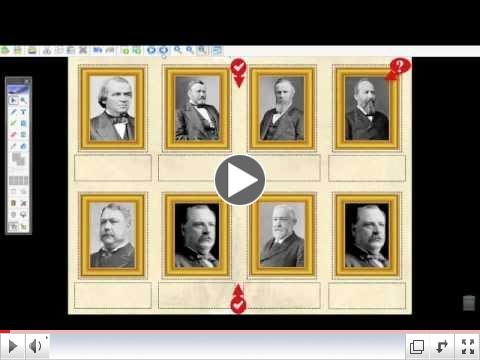 | | Ask A Master: Using the U.S. Presidents Gallery Pack |
|
|
FAQs

Here are some questions we or our customers encountered this month. Thought we'd share the LOVE by sharing our answers for some others who might be wondering.....
MIMIO -
Q: How can I use the MimioStudio Tools with an extended desktop?
A: While in the calibration screen hit the "enter" key, the calibration screen will toggle between monitors so you can calibrate the extended desktop and have all the MimioStudio Tools functionality. You can also change the active monitor (usually monitor one) to the extended desktop monitor. Note: If using the MimioPad this only works on the primary monitor. Click HERE for info on MimioPad on Extended D esktop.
Q: How can I use my MimioPad with my projector and whiteboard with
the extended desk top setting?
A: The MimioPad only works on the primary monitor. You can change your second monitor to be the primary monitor if you want to use the MimioPad on the projected screen. If you experience issues with changing the primary monitor click HERE for help.
LIVESCRIBE -
Q: Are sound stickers usable between different smartpens?
A: You can definitely divide up sound stickers to be used with different pens, just like several pens can be used with one notebook. However, because the sticky notes don't have page numbers, this can get really confusing unless two teachers keep track of which sheets of sticky notes they have pulled sound stickers from. I wouldn't recommend too many teachers splitting a pack of sound stickers unless someone is totally on top of distributing the correct pages to the correct teacher. That being said, please consider the next part of this...
However, if a teacher is using a set of sticky notes within the classroom with several different pens, this can really open up some interesting possibilities for scavenger hunts, differentiation, etc. I can actually record Audio A with pen A onto one sound sticker and on the same sound sticker record Audio B with pen B. Imagine have groups in your classroom go to different stations with their pen and hear instructions or a question that is tailored for their group and/or skill level!
EINSTRUCTION -Q: I have an iPad but I share an iPad cart for students with the other teachers in my grade level. How can I use Insight 360 with an iPad cart?
A: If you have your own iPad, you can easily use it to control Insight 360 using the teacher app. You'll see your computer desktop (and more!) through your iPad. As for your student iPads on the cart, if you have the Standard license of Insight 360 on your computer, your school or district can purchase a USB stick which contains the Premium license for Insight 360. When you've checked out the cart, just stick the USB stick into your computer, and your standard license of Insight 360 will be converted to a Premium license, allowing all the iPads on the cart to use constructed response. You'll be able to actually see how students are progressing or answering on their iPad in REAL TIME! Then, the ability to pull up examples from everyone's iPads is really where the on-the-spot teaching occurs. We're so thankful that eInstruction thought of an easy solution to sharing a cart of student iPads!
|
Grants, Funding & Contests
Free Educational Funding Opportunity Webinar 
Mimio offered a free webinar on January 24, 2013, led by Dr. Jenny House of RedRock Reports. Dr. House discussed the 21st Century Community Learning Centers grant. If you missed the webinar and would like to watch it, click here to hear the recording or get the PDF version. Whether you are purchasing Mimio products or something else, the information may provide useful. While there, sign up for the upcoming educational funding webinar coming up on Monday, February 25 at 5:00 PM CST. Dr. House will be discussing Race to the Top District and Early Learning grants and Invest in Innovation (i3) grants in detail and participants will have an opportunity to ask questions. |
|
Upcoming Training Opportunities
FREE eInstruction Training Webinars - Live or Recorded

eInstruction has a couple of different recorded webinars available from December and January, with information that you might find valuable. Click here to browse a list of recorded webinars, including the two recent webinars below...
- Workspace 9.0 - What's New?
- Get in Your New Year Groove with Insight 360
Engaging Technologies Training Classes for Educators
Check out our Upcoming Trainings webpage for more details on all of our product specific classes. Don't see a class that fits your needs? Let us know and we will gladly schedule a date that fits your district's schedule.
There's still time to join us for our iTeach with Apple iPad 101 course on February 15th. Registration is open until February 13th! We've also got classes for CPS, Mimio, and Insight coming up in the next month or two. Click to see our list of training topics.
January was a hopping month for training and we had a lot of excited educators leave ready to implement their new technology in the classroom. Every one of our survey participants said they would recommend the training class they participated in to a friend. Here's what some of our training participants had to say...
"It is an informational seminar. When you leave the seminar you can easily implement a lesson into your curriculum."
"The Mimio training was a fabulous hands on training experience. The student involvement is great and you learn as you are doing the training."
"It was an awesome workshop where I learned how to use the material I desperately wanted to learn. They were extremely helpful."
"It was an informative training that not only "taught" me how to use Mimio but also "showed" me. Having one hour to compile a lesson of my own was a nice addition to this session."
"Extremely helpful, very hands on answered a lot of questions. Everyone that works with mimio should attend."
"I would share that there is so much out there, and this was a nonthreatening way of receiving that information."
"It was very well set up and run. Went step by step with time to practice in between. Presenter knew teachers. Very, very, helpful both at the workshop and a promise of more help to come."
"I learned a lot about how to use a Mimio. I was given the opportunity to try the program out and get help with it. I walked away with a flash drive full of information."
"The presenter was very knowledgeable. He answered every question."
"I loved everything about it! Great job!"
|
|
|