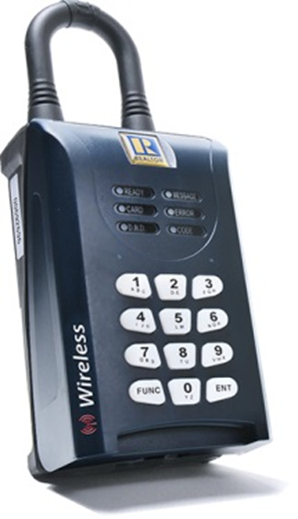
RMLS™ subscribers have been using the SentriLock system for a year this month! Here are a few pointers to ensure your success with the system:
- Plenty of subscribers have discovered how convenient the SentriSmart™ app is. It's an easy way to manage your lockboxes, assign listings, and generate codes. Download it through iTunes or Google Play.
- Your RAD does not have to be visible at a showing in order to open a lockbox. It can be tucked away in a glove compartment, console under a seat, etc. We recently heard of one agent who keeps hers in a purse!
- If your lockbox is asleep, you'll need to physically insert a card into the box to wake it up again. If you don't have your SentriCard, use a business card! Then open the box normally.
- Did you lose your SentriCard, or is it giving you issues? Call RMLS™ before visiting one of our offices...we can mail out a replacement card and save you a trip!
- Have a price change, or is your listing back on the market? Use the "Notify All Agents" link at the bottom of your lockbox access log to notify all who showed your listing.
Check out more SentriLock tips and videos on their website.
|
Speaking of SentriLock...
Ever wanted to access your SentriLock lockbox information on RMLSweb? We have some exciting news! Stay tuned for more...
|
|
Real Estate In The News

In case you missed these articles, the links are below.
|
|
SentriLock Lockbox Statistics
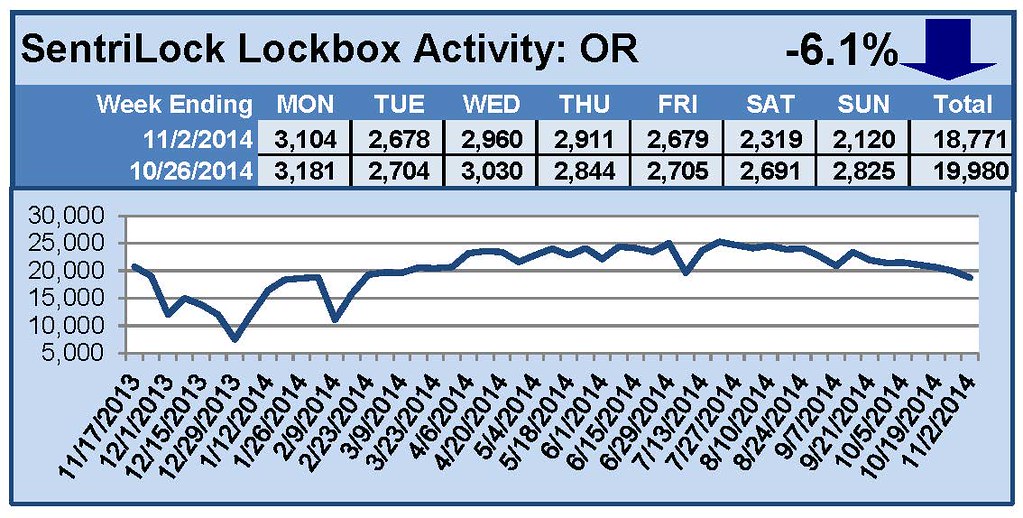
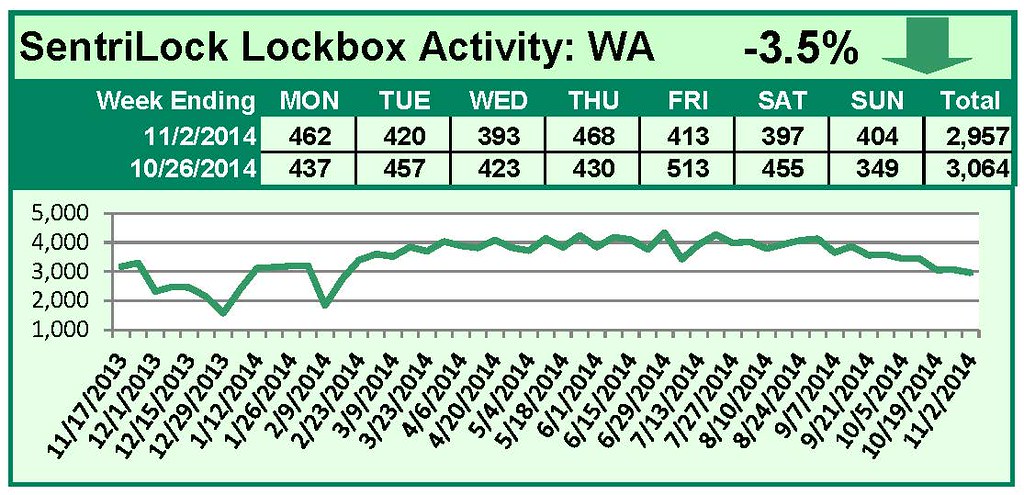
For the week ending November 2, 2014, these charts show the number of times RMLS™ subscribers opened SentriLock lockboxes in Washington and Oregon. Activity in both Oregon and Washington decreased this week.
Looking for historical numbers? Visit our Flickr page.
|