LoopPay Upgrade for Android
|
|
Download LoopPay for Android or iOS
|
|
LoopPay v1.5.0 for Android 
|
LoopPay v1.5.2 for iOS 
|
|
|
|
LoopPay Device Firmware Update
|
|
In addition to all the cool new features in the LoopPay app,
we are updating the firmware in your LoopPay Card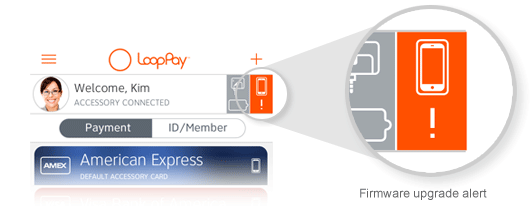
|
Once you complete the new app installation you have the option to update the firmware. If you see an "!" below the case icon in the alert center at the top of the wallet screen, you can choose to tap it to update the firmware. The update will take a few minutes.
This update is designed to improve the acceptance of your transactions at more merchants and additional POS terminals.
|
|
|
|

|
Cashier in the headlights
Forgot my wallet at home today, but was able to pay for my lunch with @LoopPay. Always fun to watch the cashier's reaction. :)
|
|
|
| Share your most recent and
coolest adventure with LoopPay: |
|
|
|
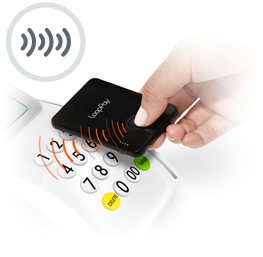
| LoopPay is instituting a new "sequence" we call MultiBeam. What that means is that instead of just pressing the button on your LoopPay Card to transmit one signal, it will now send multiple sequences over 3-4 seconds to the POS terminal. Simply hold the device on the mag stripe reading slot for that period of time and you will increase your read rate success significantly.
Note: MultiBeam is only available on the LoopPay Card and Card Case. | |
|
|
|
|
| 
|
Better Security
For added security, we no longer show your complete account number unless your LoopPay device is connected to the app, i.e. via Bluetooth for the Card and CardCase, and audio jack for the Fob.
|
|
| 
|
Virtual Safe
Don't forget you have a "Lockbox" that is accessible through the menu for storing logins, passwords, or other information you may want to secure.
| |
|
|
|
|
|
|