|
|
| |
| |
|
| Darkroom Booth Version 1.5 New Features |
| | Add Sound to Your Booth | |
With Darkroom Booth you can now add custom sounds to your screen template. For example, a sound associated with a button, a shutter sound, an audible countdown or even a background track. Just like with Darkroom screens and print templates, it is easy to create your own custom experience. Easily import sounds into Booth that you record yourself (with readily available third party software) or purchase online. There are hundreds of sources online for sounds that are inexpensive or free.
Click here to read the full article...
|  | | Save Individual Photos | |
Darkroom Booth already saves a copy of every individual photo taken and stores it in the photo's tab of the event. Booth does the same with the finished "strips" or prints. It's always had the ability to save the strips to an alternate location, but 1.5 introduces the ability to save the original/single photos to an alternate location as well. This is helpful if you want to use the individual photos in a slideshow or share station outside of the booth. You can also copy to an alternate location (like a USB drive) so when the event is over, no copying is necessary to leave behind the photos with the customer.
| | Save Individual Photos with Template | |
Ok, so saving the individual photos in an alternate location is pretty handy, however, we've taken it up a notch with the ability to apply any Darkroom Template to the individual photos at the same time. This is necessary if you are doing green screen photography so that the customer doesn't ever see the "green" photo, but only the photo with the background. And you can get more creative by adding a border, logo, sponsor information or even create a whole different type of strip! For example, if you are printing out 2x6 strips with 4 photos on them, you could use a completely different template with 4 photos on it and those will be saved in the "copy original images" location. This might be ideal if you will be posting the photos since a landscape 4x6 image will often display better than on a 2x6 strip.
| | Record Video from a Webcam | |
Darkroom has supported webcam for a long time, and now we've now added support for recording videos from a webcam. Now you can offer a photo or video booth experience with just an inexpensive webcam.
| |
|
|
 |
Crazy Photo Booth Story Winner
|
| |
 Thank you to all who took the time to submit a crazy booth story as part of our last contest. It's evident from speaking with our customers and reading their stories, there is no shortage of crazy things that happen at photo booth events. Some made us laugh and others made us cry! All submissions received Darkroom Tumblers. Congratulations to Tony Mueller of Mid-America Photo Booth in St. Louis for submitting our favorite story, "Photobomb Gone Wrong!" Tony wins a free box of media and a Darkroom drink Tumbler! Thank you to all who took the time to submit a crazy booth story as part of our last contest. It's evident from speaking with our customers and reading their stories, there is no shortage of crazy things that happen at photo booth events. Some made us laugh and others made us cry! All submissions received Darkroom Tumblers. Congratulations to Tony Mueller of Mid-America Photo Booth in St. Louis for submitting our favorite story, "Photobomb Gone Wrong!" Tony wins a free box of media and a Darkroom drink Tumbler!
Click here to read the story...
|
|
|
Built-in print drivers. What does that mean?
|
| |
Darkroom Booth has built-in drivers for several popular dye-sub printers. What this means to you is that Darkroom can talk directly to your printer and doesn't have to go through windows adding speed and convenience. When you print or reprint from Booth using the built-in driver, you'll notice the printer starts printing almost Immediately whereas the windows driver can have have a 2-4 second delay. As to convenience, many of you have seen windows create a "new" printer whenever you plug your printer into a different USB port. This will confuse any program on your computer including Darkroom Booth, because it looks like you have a new/different printer. With Darkroom's built in drivers, you never have to worry about this again. Just plug it in and it works.
Darkroom Booth also has the ability to print to multiple printers simultaneously. High volume workloads with large groups and/or reprint orders may require more than one printer. Darkroom can handle multiple printers at once.
|
|
|
Booth + Darkroom Core = New Business Options
|
|
|
You've been using Booth for a while and are looking to expand your options, so what's next? Many people and companies who use Booth add Darkroom Core to their arsenal for a "booth plus" experience. One example is a customer who manually triggers their "booth" remotely. The photographer guides and coaches participants then takes the photos with a press of a button. Darkroom Core brings the photos in and can automatically print them like booth does, but the photographer is in control. The photographer can take multiple photos, choose the best and print the correct number of copies quickly and easily. You could also give the "button" to the customer and let them take their own photos with supervision.
Darkroom Core can also be used for roaming and candid photography. The files can be wirelessly transmitted to Darkroom for enhancing and printing or they could be manually processed by importing memory cards. Anytime you need or want to offer something a bit more than what a standard photo booth setup can do, Darkroom Core is the easiest and fastest way to get it done.
Special Offer!
Interested in adding Darkroom Core to your business? We have a special offer for our newsletter subscribers, use coupon code DARKROOM100 and save $100 on darkroom core. Hurry offer ends November 7.
Click here to take advantage of this offer...
|

|
|
|
|
Happy Halloween from HiTi and Imaging Spectrum!
|
|
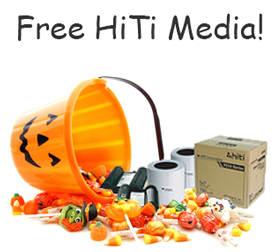 |
Booth owners looking for a Treat will find it here in this super bundle from HiTi. From now until November 7, 2014, buy a HiTi 510L printer with a box of media and get a second box of media FREE!
If you would like to take advantage of this awesome treat, just give us a call at 800-342-9294 and mention the "HiTi Halloween Promotion".
|
|
|
|
We'd love to hear your feedback!
|
| |
Thank you for signing up for the Imaging Spectrum Photo Booth Newsletter!
Not subscribed? Sign up for our Photo Booth Newsletter here.
Positive feedback from our previous photo booth newsletters has been tremendous and inspiring. I hope you continue to find this information relative and helpful. If you have any questions about our content, feel free to contact our photo booth team members by emailing photobooth@imagingspectrum.com or calling 800-342-9294. We are always happy to help you!
Contact: steve@imagingspectrum.com or you can call me at 800-342-9294.
Visually,

Steve Behen
| |
|
| | |
| |
|
|
|
|
|
|
|
|
|
|


