NEWSLETTER: Posting in Ravelry Groups!


Now that you've learned how to find and join a Ravelry group, it's time to get busy chatting (if you've missed the other newsletters about using Ravelry, you can find them here). Today I'll show you how to post a message in a group.
Where do I start a topic?
  
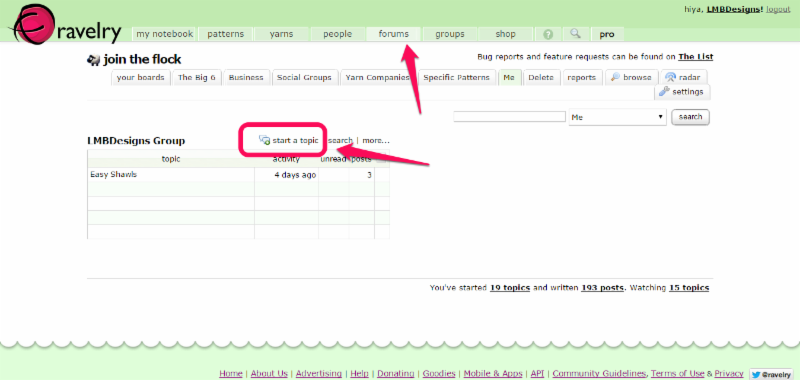
From the Ravelry homepage, click on the "forums" tab. There, you'll see all the current threads for each group of which you're a member.

Pick which group you want to post in and click on the "start a new topic" button.


What do I do first?
 
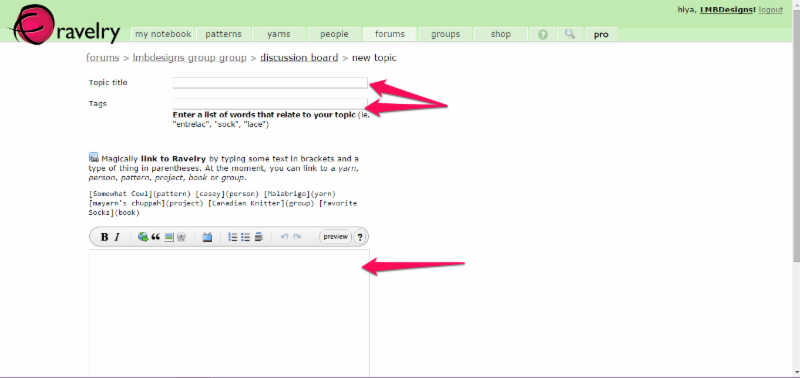
Firstly, write out a descriptive title for your topic. If you're asking for help, it's a good idea to be as specific as possible in your title. That way, the knitters who can help you can see it quickly. 

Then, pick a series of tags, which are general keywords people can use to search. For example, if you're writing about fair isle fingerless gloves, some good tags are "fingerless," "gloves," "mitts," "wristlets," "hand" and techniques like "fair isle" and "stranded."


Get busy writing!

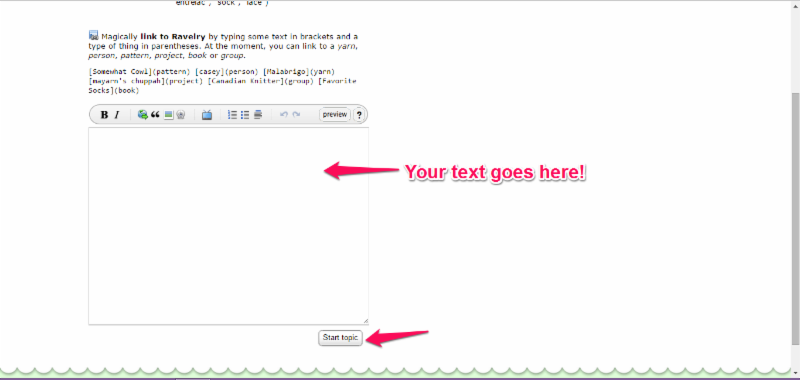
After you've got a good title and tags written, you can write out your question or general thoughts. Some things to keep in mind: be clear, especially if you have a question; be kind, those are real people with real feelings behind the screen; and be considerate of the group's purpose (many groups have a "posting guidelines" section so you know what to expect).

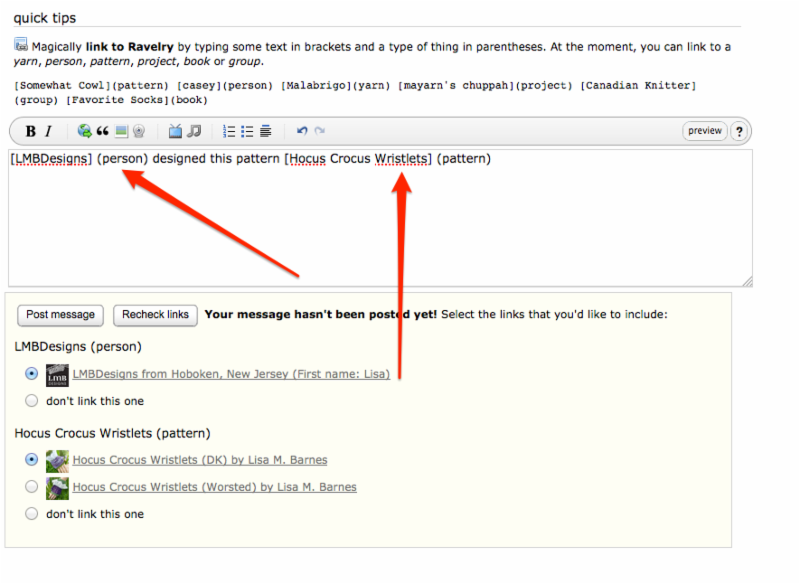
Note that you can "magically link" to patterns, people, yarn, a group by formatting the information with parentheses.  See "Quick Tips" for formatting instructions. 

Once you're done writing, scroll down and click on the "post topic" button. Like magic, you'll be taken back to the forum page where you'll see that your topic was successfully posted!


Be sure to post an introduction in the LMB Designs forum!
If you're still stuck or want to learn more, check out Ravelry's help page about forums.

Come join me on Ravelry and let's knit together!
  
Lisa M. Barnes
LMB Designs (and "LMBDesigns" on Ravelry!) 
    
Upcoming Events
Featured Project
Links in this Newsletter