NEWSLETTER: Explore Ravelry's Project Page


One of the great features on Ravelry is its "Projects" page. There you can show off your finished projects, keep notes about your works-in-progress and share photos with your friends. In this issue, I'll show you how quick and easy it is to log your first project.
Where's the projects page?
  
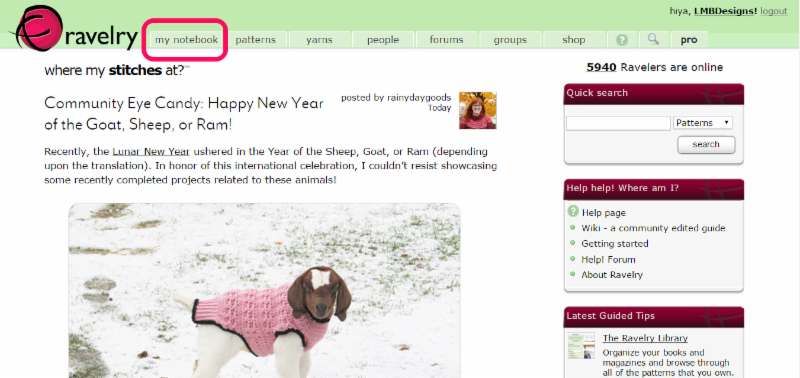
From the Ravelry home page, hover over the tab called "my notebook." That's where you'll find your project page, your stash, library, your private inbox, and your groups (and you can join the LMB Designs Group here).


How do I add a project?
 
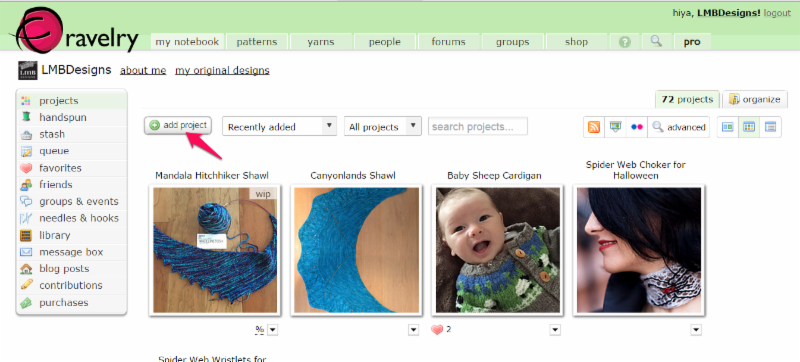
Now that you've opened your notebook, click the bright green button that says "add project." From there, you can name it, label it by craft (knitting, crochet, weaving or spinning) and link to the pattern (if any) you used. Then click on "continue."


OK, now what?

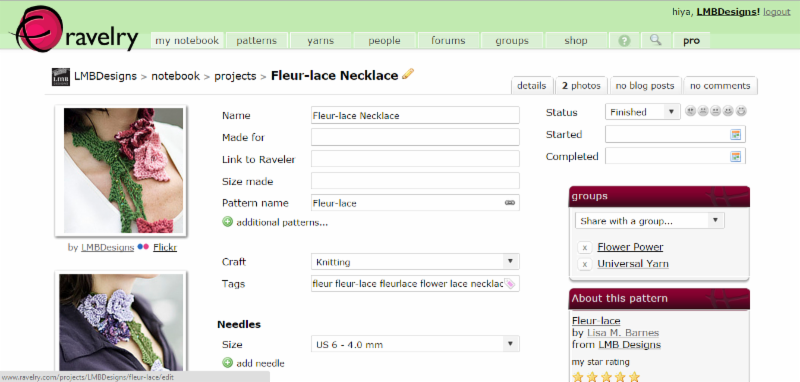
Now the fun begins. You can upload photos of your project as you make it, indicate who you made the project for, what size needle and what kind of yarn and how many balls or skeins used. By linking to the yarn you've purchased, you can see what you've used up at home and if you need to go out and buy more. You can also add notes if you made any modifications to the pattern, rate the pattern and yarn, and keep track of how long it took you to make your project. 


And when you're finished, use the "groups" tab to share with the LMB Designs group!
If you're still stuck or want to learn more, check out Ravelry's project page FAQ

Come join me on Ravelry and let's knit together!
  
Lisa M. Barnes
LMB Designs
    
Upcoming Events
 
Socks with
Afterthought Heel Class 
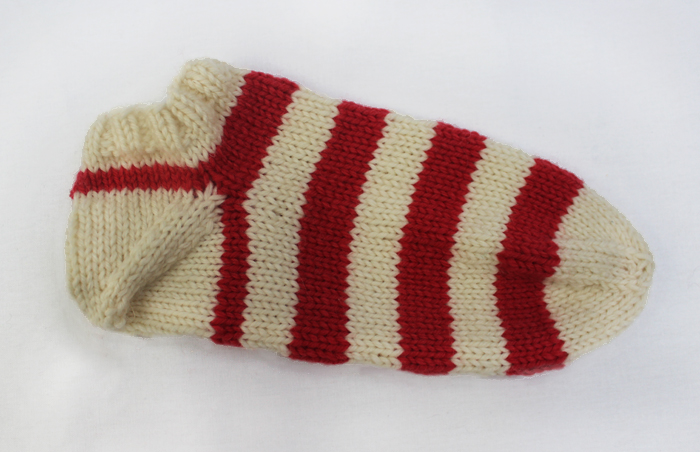
Interested in learning how to make socks? Learn the basics of knitting in the round on double-pointed needles (dpns) while you knit this ankle sock. The sock has an afterthought heel, so if the heel ever wears out you can replace it!
Two-part class: Sunday March 8 AND 15, 2:00 - 4:00 pm,
Lion Brand Outlet 
Featured Project
Links in this Newsletter