Google has recently completed the biggest change to its service in at least 5 years. This will impact how your website appears in the search engine's list of results. The impact is being felt the most by small, local businesses who may have suddenly disappeared to page 2 or beyond of the search results.
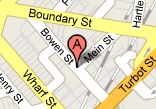
The new 'Place Search' sorts information around locations, making it easier to compare results in your local area. These results will automatically appear at the top (under the paid ads) if Google thinks you're searching for local information. It's important to note that as these appear before any other free search results, all other free listings are pushed further down the page. You can also click on the Places link to the left of your search results to see the Places listings.
To be listed in the Places results, you need to have a free Google account and claim your own Places listing. It's a simple process and only takes a few minutes:
1. Visit Google Places (http://google.com/places) and click the Business Owner link.
2. Log in, or if you don't yet have a Google account, you can sign up for free. Make sure that you use an email address that will not change as it's permanently tied to your Places listing.
3. Take the time to completely fill in your business information, not just the required fields. If your business only provides onsite services and you don't want to display your address, you can choose to not show your address on the listing. Specify your operating hours, accepted payment methods and add any additional details (such as on-site parking or years in business). It's also recommended that you add photos and video links.
4. Google will then seek to verify your listing by sending you a PIN number, either via a postcard mailed to your listed address (within 3 - 4weeks), a recorded message phone call to your listed phone number or an SMS to your mobile phone. Enter this PIN number into your listing and it will then show as an owner-verified listing, which will also help with its ranking.
Your Places listing is not the only thing that Google takes into consideration when ranking the Places results. You also need to make sure you have a page on your website containing your physical address and phone number, as well as employing other search engine optimization techniques on your website.
Talk to your local Computer Troubleshooter if you need any help claiming your listing in Google Places or any other technology needs.