|
Show Off on the Data West Website
Greetings!
Picture this... a photo of your town on our website. We're revamping our website and want to include great pictures that represent our clients. Email Karen a digital photograph of your city or town with a "utility theme" by February 26th and she'll send you a little something special from Data West. What's a "utility theme"? Be creative and include something in the photo that has to do with a utility. Whether it be a row of telephone poles along your favorite road, a water tower in the distance, a meter on your favorite historical building with Main Street in the background, the possibilities are endless. Our eight favorite photos will be displayed on our new website and your company will receive an extra special prize. For more information or questions please contact Karen via email at kfb@dwcorp.com or at 800-748-2271 x100.
|
|
Tired of Collecting Bad Checks?
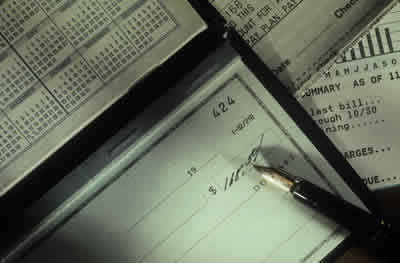 Data West and Money Transfer Systems, Inc.
(MTSI) offer DataWest customers a new benefit that saves you time and money:
electronic check recovery service from checXchange™. Data West and Money Transfer Systems, Inc.
(MTSI) offer DataWest customers a new benefit that saves you time and money:
electronic check recovery service from checXchange™.
checXchange™  recovers your money using
our knowledge based strategic re-presentment program. This electronic
method accelerates the check recovery process. All successfully collected
checks are reimbursed weekly to the merchant at 100% of the face value of the
returned check. recovers your money using
our knowledge based strategic re-presentment program. This electronic
method accelerates the check recovery process. All successfully collected
checks are reimbursed weekly to the merchant at 100% of the face value of the
returned check.
Enroll today and enjoy the benefits of this
automatic, effective service:
- No long-term
contract or agreement
- No enrollment
fees
- No equipment to
purchase
- No hidden
charges
- Easy enrollment
to automatically receive the no-cost checXchange™ service, which includes
free 24/7 online reporting
Attend the webinar on March
9th at 9:30AM MST and learn how checXchange can streamline your NSF
collections. To register email or call Karen at 800-748-2271.
Enrollment is Simple -Click Here to Print and fill out the enrollment form (PDF).
Fax it to 727-499-7003 or scan and email to sales@checxchange.com.
If
you have any questions regarding this new program, just call checXchange at
1-800-208-2964.
|
Snowbound and Without Meter Reads
 With
the extreme snow conditions this winter, many utilities are finding it
difficult or impossible to conduct normal meter-reading procedures.
Fortunately, BillMaster has "Estimated Read" functionality that may help you get by during periods when meters are not
accessible. With
the extreme snow conditions this winter, many utilities are finding it
difficult or impossible to conduct normal meter-reading procedures.
Fortunately, BillMaster has "Estimated Read" functionality that may help you get by during periods when meters are not
accessible.
The Estimated Reads Process uses a calculated
average consumption to generate a reading for the current period. This
average is a normally computed using consumption from several months, but can
be modified to be the consumption from the same period one year ago,
averaged consumption from selected winter months only, or the consumption
from your last billing period.
If you think this process could be useful to you and
are interested in more information, please contact Data West Tech Support at 970-259-2369 x132 or email support@dwcorp.com.
|
2010 User Conference Workshop:
 BillMaster Boot Camp BillMaster Boot Camp
The Data West Team is pleased to announce that
this year's pre-Conference workshop will be a "BillMaster Boot
Camp". Topics will include: getting the most from your task
menus, the in's and out's of imports and exports, and best practices of
BillMaster. The workshop will be held on August 10th with the conference to
follow on August 11 and 12. Please be on the lookout in your email inbox
for the Workshop and Conference details and registration. For more information,
or for the registration package, please email Karen. We look forward to seeing you!
|
Data West Calendar
February Webinar: When to Add, When to Exchange - February 25th still has space available.
March Webinar: Security - Lock it Down
BillMaster User Conference - August 11th and 12th, 2010, with special workshop "BillMaster Boot Camp" on August 10th. Registration begins early February.
Data West Out and About in 2010:
- AWWA ACE10 - June 20 -24, 2010 in Chicago, Illinois.
| |
|
|
|
Tech Tip
Having trouble using your grids because you can't read the
column heading? Right-click on a grid and select 'Perfect Fit
(Title)'. This will adjust all column widths to match the column
headings, usually widening the columns.
Trying to see more data in the grid? Right-click on a grid and select
'Perfect Fit (Data)'. This will adjust all column widths to match
the data, usually narrowing the columns.
|
|





