Photo Tip
Getting better flash photography results
December 2011 |
| |
Many people complain that they don't like the look they get when using their flash - I call it the "deer in the headlights look". However it is possible to achieve better, more natural looking results.
I realize that flash photography is one of the more complicated subjects to learn about, but you can improve your flash photographs immediately if you follow some easy guidelines. In this photo tip I'll discuss three things that can improve your images. These suggestions apply whether you have a pop-up flash or an external flash unit that connects to the camera via the hot shoe:
- the red eye reduction flash setting
- the use of a flash diffuser
- the use of flash exposure compensation
Red eye reduction flash setting
The "red eye" we commonly see in flash photographs occurs when the light of the flash bounces off the back of the subject's eye and red from the subject's blood vessels is recorded in the picture as red pupils. The same thing may happen when we are photographing animals, but in their case it shows up as "green eye". Since we tend to use flash most often in a darkened room, our subject's pupils are dilated and the red eye effect is very noticeable. A no-tech solution is to ask the subject to look away from the flash. However, that may not be the composition you intended, so another option is to use the red eye reduction flash setting available on modern cameras. In the camera's menu you should find different flash modes. This is where you can turn on the red eye reduction setting/mode. In this mode, the flash will fire twice: first a "pre-flash" which causes the subject's pupils to contract and then a second flash when the photograph is made. Since the pupils are contracted, the red eye effect is reduced.
Using a flash diffuser
Regular flash can produce a light that is harsh and causes strong shadows behind the subject. To soften the light from the flash you can use a flash diffuser. For on-camera pop-up flashes I recommend the Gary Fong Puffer Pop Up Flash diffuser which mounts to the camera's hot shoe and can be used with any make of digital SLR that has both a pop-up flash and hot shoe.

Gary Fong Puffer Pop Up Flash Diffuser
by Gary Fong
Electronics

List Price: $24.99
Our Price: $18.95
Buy Now
If you have an external flash unit, it may have a built-in flash diffuser. However, I find this built-in diffuser pretty in adequate in making a better quality of light. Instead I prefer the quality of light of the Gary Fong Lightsphere Cloud diffuser. This accessory has evolved and improved over the last few years and there are now two models of interest

Gary Fong LSUCLOUD Lightsphere Universal Cloud
by Gary Fong
Electronics
List Price: $53.95
Our Price: $37.65
Buy Now
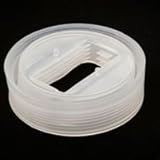
Gary Fong GFLSC01 LightSphere Collapsible Diffuser
by Omegasatter
Electronics
List Price: $64.75
Our Price: $45.35
Buy Now
Both models work in the same general way, but the collapsible diffuser may be a little easier to pack in the camera bag. Using this diffuser, the light from the flash enters the bowl and you have the combined effect of bounced light (which softens the light) in the direction of the flash head and diffused light coming through the dome in all directions which helps to fill in shadows. The combined effect is a more natural looking light on the subject without breaking the budget.
Using flash exposure compensation
A final bit of advice is that you don't always need to use the flash at full power. Reducing the flash output by 1 to 2 EV (exposure values) will enable you to use the flash in "fill" mode, that is to fill in shadows as an auxiliary light source, rather than be the primary light source. In some cameras you can find a button on the front of the camera, near the flash that looks like the zigzag arrow symbol for flash combined with the +/- symbol for compensation

If you have one of these buttons, when you press it and turn the control dial you should be able to dial in the amount of flash exposure compensation you desire. If you don't have a button, flash exposure compensation can be set using the menus. You may find that you have the ability to control flash exposure compensation for both on-camera (pop-up flash) and external flash units.So experiment with values like -1.0, -1.3, -1.7, -2.0 What you will find is that the flash no longer dominates the ambient/available light. Instead you should be able to see detail in the background and have a toned down amount of light on the subject. By the way, using flash exposure compensation, you can use your flash to fill in shadows even in daylight situations. Since shadows tend to appear darker in a photograph than to our eyes, this technique can be used to lessen those shadows and produce a better image.
Note if you are using an external flash unit, you may have the ability to reduce the flash output either by using flash exposure compensation in TTL (through the lens) mode or by changing power levels in manual flash mode (1/2 power = -1 EV, 1/4 power = -2 EV). Generally speaking the settings you've made on the flash unit will override settings you've made on the camera, but check your manual to verify. So there you have it, three things you can try to get better flash results that apply whether you have a pop-up flash or an external flash unit.
|




