|
Welcome to High Tech House Calls
Greetings!
We are Experts in Integrating Apple and Windows Based Systems!
Got bugs and spyware on your mind?
Is your system down?
Work behind?
Did you child download a virus... or worse?
Do your network problems make you feel cursed?
Call High Tech House Calls at 404.229.0839
to schedule an appointment.
|
|
Computer Running Slow, Part I
If your computer is running slow, the cause may be one or more of the following:
- Virus/Spyware/Malware infection
- Your applications needs have outpaced the amount of memory you have available.
- Your hard drive is too full.
Your hard drive contains both the operating system (Windows, MAC OS X, etc.), your applications (Microsoft Office, Adobe Photoshop, etc.) and your user data (iTunes library, photos, documents, address book, etc.).
The operating system and applications running on your computer require a scratch pad in order to function efficiently. That means at least 15% of the total capacity of your hard drive must be free to act as a scratch pad. In other words, your hard drive is totally full if 85% of your hard drive is being used.
To check to see how much free space you have, do the following:
- On a Windows system, double click on "My Computer", right mouse click on your hard drive (typically labeled "c:") and select properties.
- On Mac OS, select "Get Info" from the pull down menu associated with your hard drive.
What can you do if you have less than 15% disk space free?
- Delete files you do not need such as documents or photos. Do not delete files you do not recognize such as application files.
- Uninstall applications you no longer use.
- In Windows, defragment your hard drive.
- Moving your photos or iTunes library to an external hard drive can free up an enormous amount of disk space. Once you have verified the copy of your photos or iTunes library is complete, it should be safe to delete those files from your computer. Associating your newly moved iTunes library with the iTunes applications is a little more complex than just moving files. Please refer to the Apple website for more help. http://support.apple.com/kb/HT1449
- If you have tried all these options and you are still at less than the magical 15% free mark, it might be time to consider a newer computer with a larger hard drive or installing a larger hard drive into your current computer and re-building your system. Neither of these options should be taken lightly. Both of these options are best left to a professional.
|
Teenage Boys and the Internet
 I am asked all the time how to protect children from accessing or seeing stuff their parents would find objectionable.Here are some options to consider: I am asked all the time how to protect children from accessing or seeing stuff their parents would find objectionable.Here are some options to consider:
- Deny access to your wireless network for your children. It is pretty easy to add a WPA or WEP key to your wireless network that a computer must have entered in order to access the Internet. Your wireless network should be WPA or WEP key enabled to protect your network anyway.
- Add parental control software that attempts to prevent access to undesirable features of the Internet. Software such as Net Nanny (www.netnanny.com) or SafeEyes (www.internetsafety.com) can be installed. Many clients have found that software provided by High Speed Internet Providers such as ATT has not been effective. The problem with a software solution is exceptions. A real life example is the blocking of access to your child's Christian prep school because, by default, sites with a religious content are blocked. Just imagine what happens when your child starts to research for his or her Sex Ed class. Bottom line: Be prepared to act as an administrator when these problems happen.
- Limit your kids' access to the computer. The more free, unsupervised time they have to access the Internet, the more chances they will be exposed to things you do not wish them to see.
|
Back to School Tuneup 
Summer vacation time is almost over. Are your childs' computers trashed? High Tech House Calls is offering 50% off the normal service call price for a major tuneup on laptops and desktops until July 31st. Jump on this offer before the days of summer are over.
|
Have a Charity that is Near and Dear to Your Heart? 
We cannot write your charity a check, but we can donate our services. If you have a charitable event that includes a silent auction, we would like to donate a High Tech House Calls gift certificate. We will also highlight your charitable event on our website with a description of the event and a link to your event website. Please contact us at carlthorne@hthcatlanta.com for more details.
| |
|
|
|
Computer Running Slow, Part I
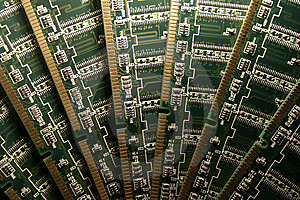
If your computer is running slow, the cause may be one or more of the following:
- Virus/Spyware/Malware infection
- Your applications needs have outpaced the amount of memory you have available.
- Your hard drive is too full.
Part 2 will focus on not having enough memory.
In general, more memory is better.
Here are some general guidelines for the minimum amount of memory you need.
For a Windows system (before Vista), anything less than 750MB of memory will make your computer sluggish.
For Vista systems, consider at least 2GB of memory.
For Mac OS X, consider at lease 2GB of memory. If you are going to use Photoshop or other memory intensive applications, double the amount of memory to 4GB. Also, if you have decided to dual boot your Apple computer (run both Mac OS X and Windows OS), you should also consider 4GB of memory.
How much memory does your computer have presently?
For a Windows system, go to the control panel and click on the "System Application". The first page should tell you have much memory you have.
For Mac OS X, select "About This Mac" under the Apple symbol in the top left hand corner.
I have a brand new computer, why do I need to add memory?
Many deals on computers cut corners on components. Leave out some memory and you can sell the computer for less. Use the guidelines specified in this blog to determine how good the deal is. If you have to add memory to the system, use the Kensington Memory website www.kensington.com to determine how much more money you will have to add to the base price of the system to arrive at a true total price for the system.
What type of memory do I need to buy?
One type of memory does not work for all computers. It seems different types of memory are coming out monthly. Go to the Kensington Memory website www.kensington.com and use the memory selector to determine what type, the maximum amount and the approximate cost of a memory upgrade for your computer system.
How difficult is it to install memory?
For a Windows system, it is pretty easy. On a laptop, there are a couple of screws that cover an access plate to the memory. On a desktop, the skin on the side needs to be removed to expose the memory. Refer to your user manual for details on your particular computer. Cannot find your manual? Go to the vendor's website and view a copy of the manual online.
For an Apple computer, it could be just a couple of screws or taking the whole case apart. Refer to your manual for details.
|
 |
|